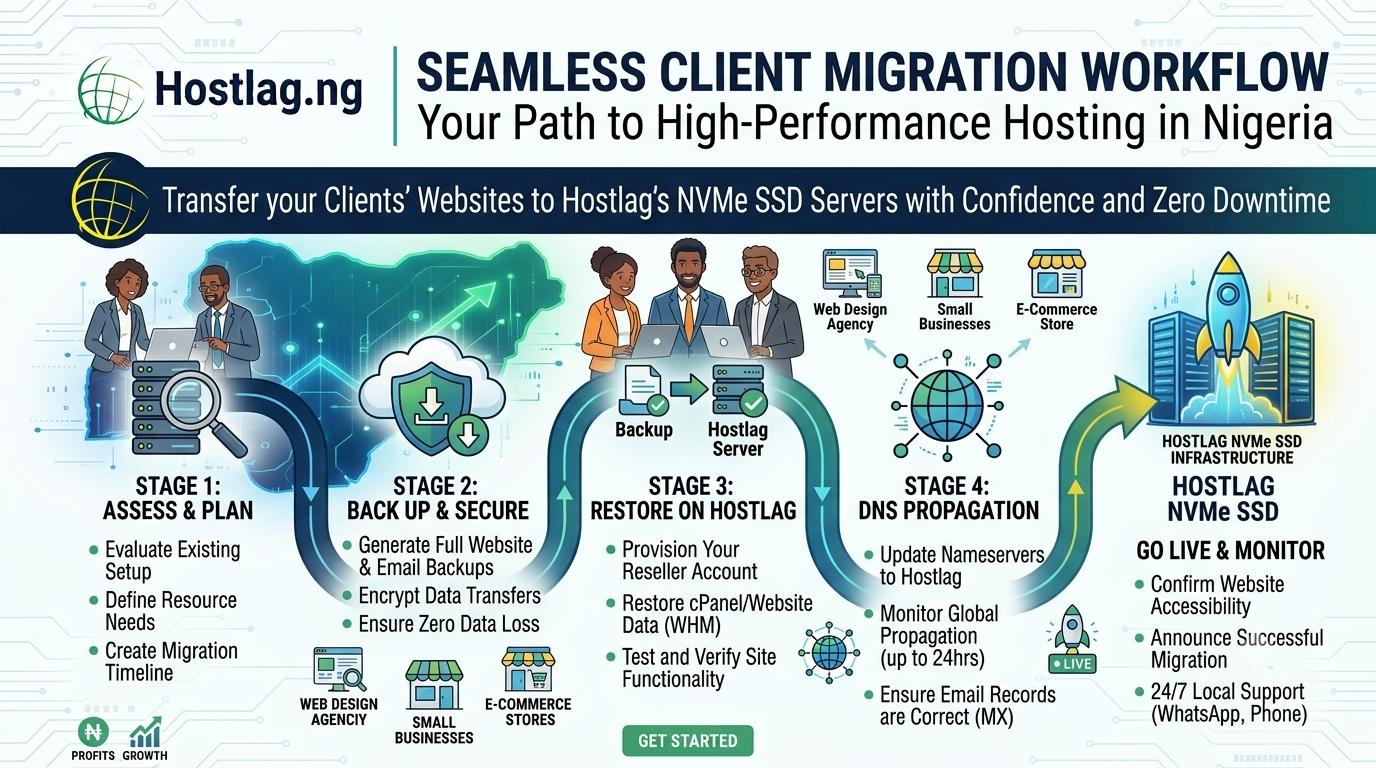
Switching clients from another host to your new reseller hosting business can seem challenging, but with the right tools and support, it’s a smooth process. Migrating websites is a valuable service that helps you win new business, build trust, and deliver a seamless experience for your clients. This guide shows you how to migrate clients to your Hostlag reseller hosting, step by step.
Win New Clients: Many businesses want to switch hosts but fear downtime or data loss. Offer free migration to remove this barrier.
Boost Loyalty: A smooth migration shows professionalism and builds long-term trust.
Recurring Revenue: Once clients are on your platform, they’re more likely to stay and buy additional services.
Downtime concerns
Email and database transfers
DNS updates and propagation
Compatibility issues (PHP version, scripts)
Hostlag provides migration tools and expert support so you can:
Transfer entire cPanel accounts (files, databases, emails, settings)
Migrate WordPress and other CMS sites seamlessly
Test migrated sites before going live
Get step-by-step support via WhatsApp, email, or phone
Note current provider, control panel (cPanel, Plesk, etc.), and resources used
Instruct the client (or do it yourself) to perform a full backup via their current control panel
Hostlag’s support team can handle the migration for you—just provide the necessary credentials
Use WHM/cPanel to restore website files, databases, and email settings
Change the domain’s nameservers to point to your Hostlag reseller account (use your white-label nameservers)
Allow up to 24 hours for DNS propagation
Check website functionality, email accounts, and performance on the new server
Confirm everything is working before announcing the successful migration
Communicate clearly with clients about timing and expectations
Always back up data before making changes
Use Hostlag support for complex migrations or issues
Offer migration as a free or value-added service to attract new business
Will my client’s website go offline during migration?
If planned correctly, downtime is minimal and often avoided altogether.
Can I migrate non-cPanel sites?
Yes. Hostlag’s team can help migrate sites from most common control panels and platforms.
Do you offer migration support?
Absolutely. Hostlag provides hands-on migration assistance for resellers.
Migrating clients to your Hostlag reseller hosting is a straightforward process with the right preparation and support. By offering seamless migrations, you’ll attract new clients, boost retention, and strengthen your hosting business in the Nigerian market.