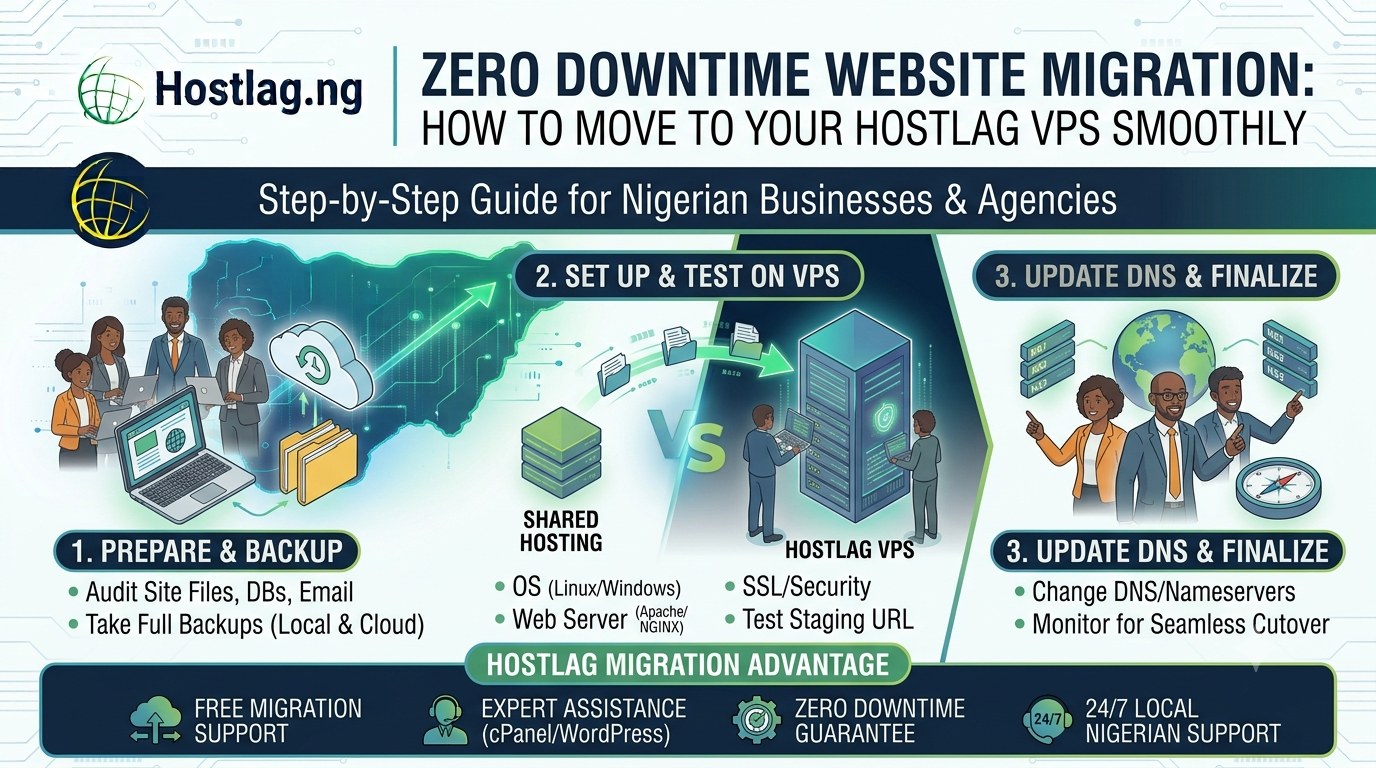
Migrating your website to a VPS is a major upgrade—delivering more power, security, and scalability. But the process can feel stressful if you’re worried about downtime or data loss. With careful planning and the right support, you can move your site to a Hostlag VPS with zero interruptions. This guide shows Nigerian businesses, developers, and agencies how to migrate smoothly and confidently.
Audit Your Website: List all files, databases, emails, and connected domains/subdomains.
Choose Your VPS Plan: Pick a Hostlag VPS plan with enough RAM, CPU, and storage for your needs.
Schedule the Migration: Choose a period of low website traffic (late night or weekend) for minimal impact.
Take full backups of your website files, databases, and email accounts.
Save copies both locally and in the cloud (Google Drive, Dropbox, etc.).
If you’re unsure, request Hostlag’s migration assistance.
Install your preferred operating system (Linux or Windows)
Configure web server (Apache, NGINX, LiteSpeed)
Set up databases (MySQL, PostgreSQL, etc.)
Install SSL certificates and security tools
Create email accounts and FTP users
Upload your site to the VPS using a temporary domain or staging URL
Verify all pages, databases, and email functionality
Check for broken links, missing files, or software errors
Change your domain’s nameservers to point to your Hostlag VPS
DNS propagation can take up to 24 hours—plan accordingly
Avoid making major site changes during this window
Monitor your site for any issues as traffic switches over
Once DNS has propagated, perform a final check (speed, security, forms, email)
Announce the upgrade to your users or clients
Free migration support for all new VPS clients
Expert assistance with cPanel, WordPress, custom apps, and email
Zero downtime guarantee for most standard migrations
Local Nigerian support via WhatsApp, phone, and ticket
How long does migration take?
Most standard websites can be migrated within a few hours; larger or more complex sites may take longer.
Will my emails work after migration?
Yes—just ensure email accounts are recreated on the VPS and DNS records are correct.
What if I have a problem during migration?
Hostlag’s support team is available 24/7 to resolve any issues.
Migrating to a VPS doesn’t have to mean downtime or headaches. With Hostlag’s expert support and careful planning, you can level up your website’s performance and security with zero disruption to your business or users.
Hostlag: Hassle-free VPS migration and local support for Nigerian websites.