When starting a web hosting business or managing multiple websites, you’ll often hear about WHM and cPanel. They’re both essential tools in the hosting world—but they serve very different purposes. Understanding the difference between WHM and cPanel is crucial for resellers, agencies, developers, and anyone serious about hosting.
This article breaks down what each one does, why you need both, and how Hostlag’s reseller hosting makes managing them easy.
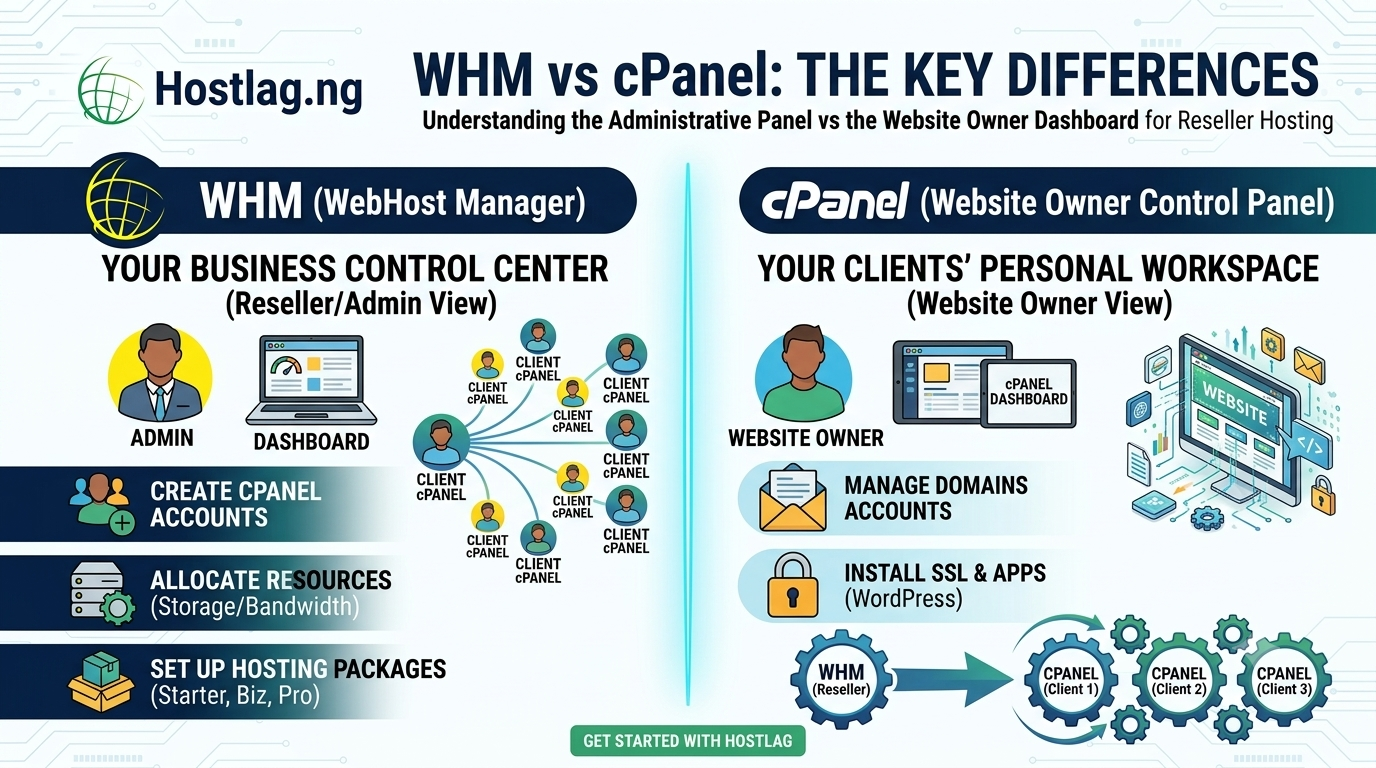
WHM stands for WebHost Manager. It’s the powerful administrative panel that gives you complete control over your reseller hosting environment. WHM is where you:
Create and manage multiple cPanel accounts (one for each client)
Allocate resources such as storage, bandwidth, and email
Set up hosting packages (Starter, Business, Premium, etc.)
Monitor server status and usage
Configure security settings
Perform migrations and backups for all accounts
Think of WHM as your business control center. You use it to organize, monitor, and manage your hosting company’s resources and all your clients’ accounts.
cPanel is the user-friendly dashboard your clients (or you) use to manage their individual hosting accounts. Each cPanel account is isolated, private, and can be customized based on your hosting packages. With cPanel, clients can:
Add or manage domains and subdomains
Upload files and manage websites
Set up email accounts and forwarders
Create and manage databases
Install SSL certificates
Use one-click app installers (WordPress, Joomla, etc.)
Monitor usage and statistics
Think of cPanel as the personal workspace for each website owner. It’s designed for simplicity, so even beginners can manage their site with ease.
Feature WHM cPanel
Primary User Reseller/admin Website owner/client
Purpose Manage accounts & resources Manage a single site
Functions Create/delete cPanels, packages. e.t.c Domains, files, emails
Access Level Root/reseller-level End user-level
Branding/White-label Can set up private nameservers Shows your brand
WHM lets you create and manage multiple hosting accounts under your own brand.
cPanel gives each client their own, secure space to control their website.
Together, they enable you to deliver a professional, scalable, and fully white-labeled hosting business.
Hostlag’s reseller hosting plans include:
Free WHM access for total business control
Unlimited cPanel accounts (up to your plan’s limit)
Easy setup for packages, accounts, and branding
24/7 support if you ever need help
Localized billing and support for the Nigerian market
Can I customize the cPanel experience for my clients?
Yes, you can add your branding and set up custom packages with WHM.
Do clients need to know about WHM?
No, only you (the reseller) use WHM. Clients use cPanel only.
Is there a limit to the number of cPanel accounts?
Each Hostlag reseller plan includes a set number of cPanel accounts (e.g., 20 or 30). Upgrade as your business grows.
Is WHM/cPanel secure?
Yes. Hostlag provides DDoS protection, SSL, and Imunify360 security for every account.
WHM and cPanel are at the heart of every successful reseller hosting business. By understanding their roles—and leveraging Hostlag’s optimized hosting platform—you can deliver a seamless, professional experience to every client, every time.